
Summary Tab
In this article
In this article group
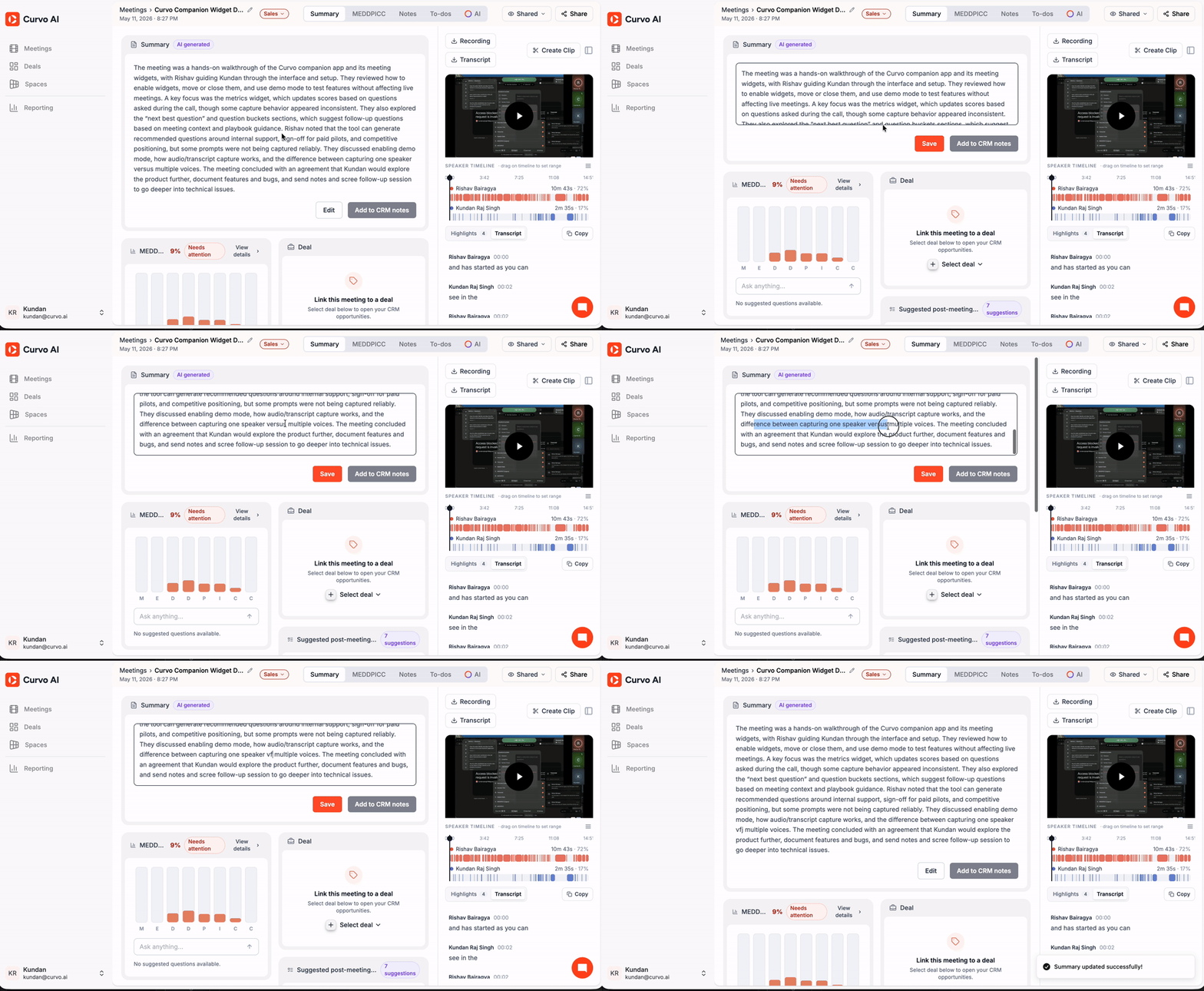
The Summary tab is the first screen you see when you open a past meeting. It consolidates the most important information from the call into a single view so you can quickly understand what was discussed and what needs to happen next.
AI-Generated Summary
At the top of the page, Curvo AI produces a written summary of the entire meeting. This summary is automatically generated from the meeting transcript and is labelled AI Generated.
You can:
Edit the summary to refine or add context before sharing
Add to CRM notes to push the summary directly into your connected CRM (e.g. Salesforce, HubSpot) against the relevant opportunity
MEDDPICC Score Snapshot
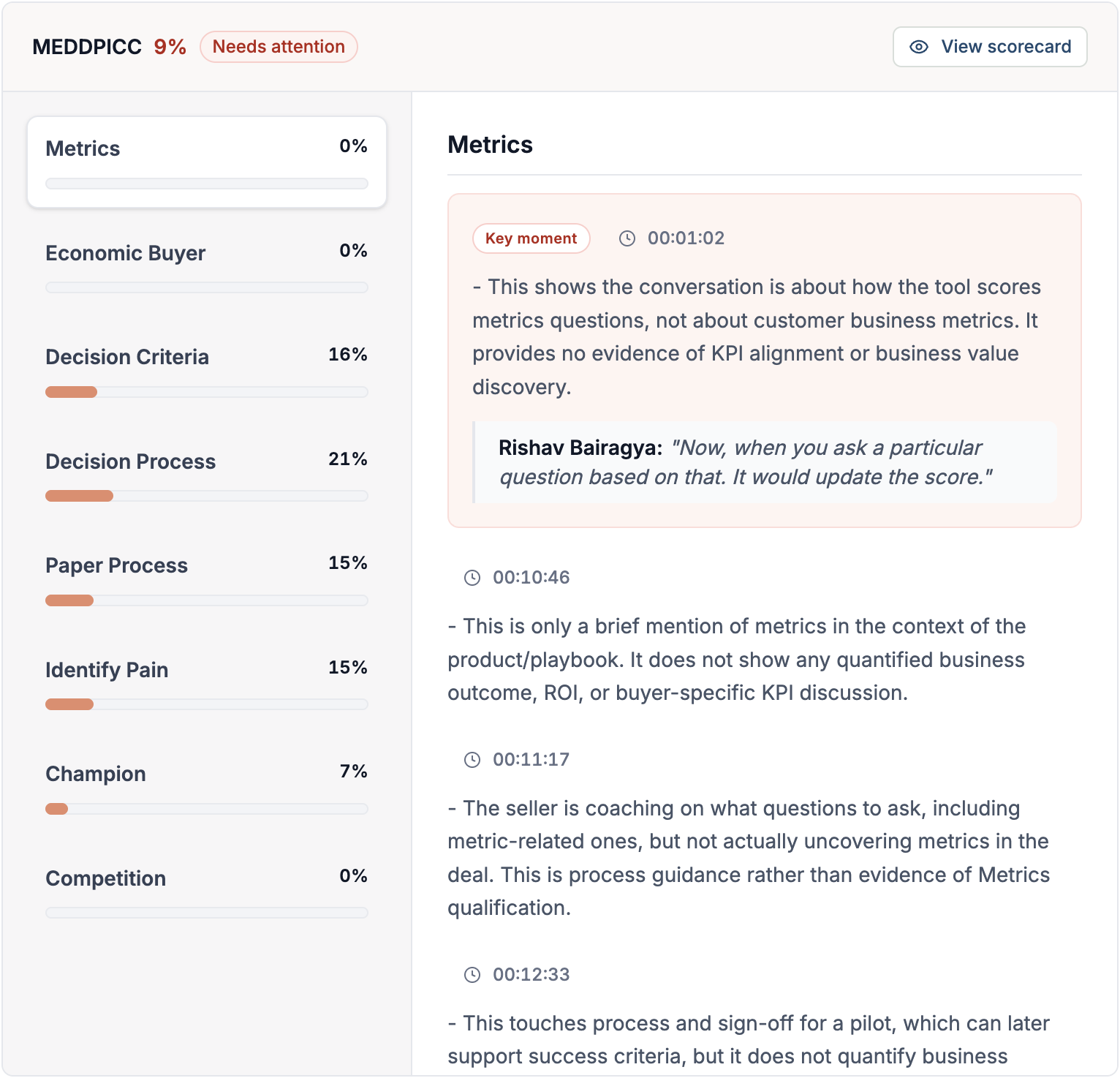
Below the summary, a bar chart shows your MEDDPICC score for this meeting. The score is expressed as a percentage with a status label such as Needs attention. Each bar represents one of the eight MEDDPICC criteria:
M — Metrics
E — Economic Buyer
D — Decision Criteria
D — Decision Process
P — Paper Process
I — Identify Pain
C — Champion
C — Competition
You can type a question into the Ask anything field beneath the chart to query the AI about any of these scores in the context of this meeting.
Note: The framework shown here reflects the sales playbook configured for your workspace. If your workspace uses MEDDICC or another methodology, the criteria will adjust accordingly.
Note: Click View details to go to the full MEDDPICC tab for a criterion-by-criterion breakdown.
Deal Linkage
Alongside the MEDDPICC snapshot, a Deal card lets you associate the meeting with an open CRM opportunity. Once linked, meeting insights and scores are connected to that deal's record.
Click Select deal and choose from your list of open opportunities
Top Risks
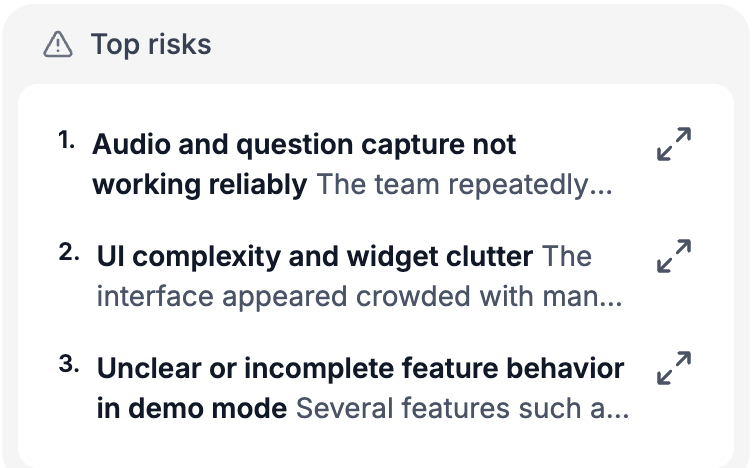
The Top risks section identifies potential blockers or concerns raised during the meeting. Risks are categorised by type (technical, commercial, stakeholder, etc.) and are intended to prompt proactive follow-up before your next call.
Each risk entry includes a brief description of what was flagged and why it matters.
Suggested Post-Meeting Actions
Curvo AI generates a list of Suggested post-meeting actions: specific tasks derived from what was discussed during the call. Each suggestion includes:
A clear action title
A short description of the context behind the action
Click any suggestion to add it to your To-dos list with one click. All accepted actions then appear in the To-dos tab for tracking.
Participants
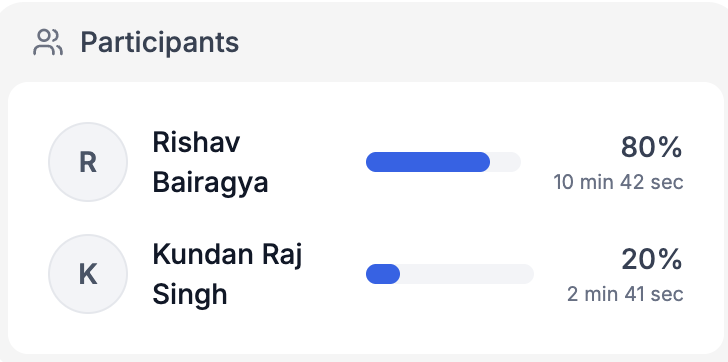
The Participants section lists everyone who attended the meeting, along with:
The percentage of total speaking time each person contributed
A visual breakdown showing how much each participant spoke throughout the call
This is useful for understanding engagement levels, for example whether the prospect or the seller dominated the conversation.
Speaker Timeline
On the right side of the Summary tab, the Speaker Timeline shows a colour-coded horizontal timeline of when each participant spoke during the meeting.
You can:
Drag on the timeline to set a time range and focus on a specific portion of the call
Click any segment to jump directly to that moment in the transcript
Each speaker is listed with their name, total speaking time, and percentage contribution.